

If you're a US high school counselor helping students apply to universities in the UK, you've probably come across the term UCAS buzzword.
It sounds a little unusual, but it's an important part of managing UK university applications through your school.
A UCAS buzzword allows students to link their applications to your school or advising organization, so you can support them through the process without needing access to their personal UCAS accounts.
But before you can create a buzzword, your school or organization needs to be registered as a UCAS centre.
Here's how to get started.
What Is a UCAS Centre?
A UCAS centre is a school, college, or advising organization registered with UCAS to help students manage their UK university applications.
Once registered, your school can use the UCAS adviser portal to:
- View and monitor students' application progress.
- Review applications before they're submitted.
- Add academic references and predicted grades.
- Manage application submissions and track decisions.
- Keep your students' UK university applications organized in one place.
For US college counselors who may only work with a handful of UK applicants each year, having everything in one place can make the process much easier.
Good to know: Registering as a UCAS centre is free.
How to Register as a UCAS Centre
Before creating your school's buzzword, you'll need to register your school or organization with UCAS.
Step 1: Choose the Right Registration Form
UCAS has different registration forms depending on whether you're applying as a school or an independent adviser.
If you're registering a US high school, use the EU and International Schools/Centres registration form.
If you're an independent education consultant or adviser, start with the UCAS guide to becoming a registered centre and select the adviser or agent registration option.
Step 2: Submit Your Registration Details
UCAS will ask for information about your school or organization, including contact details and the person responsible for managing the centre.
If you're registering as an independent adviser or agent, UCAS also requires a recommendation letter from a UCAS-member university or college.
The university or college should have worked with you for at least one year. Its letter needs to explain your professional relationship and support your application to become a registered centre.
You can find the full requirements on the UCAS centre registration page.
Step 3: Wait for UCAS to Confirm Your Registration
Once UCAS has reviewed and approved your registration, you'll be able to access the adviser portal and set up your centre.
If you're preparing for an upcoming application cycle, it's a good idea to begin this process early, especially if you need to arrange a recommendation letter.
How to Create a UCAS Buzzword
Once your centre is registered, you're ready to create a buzzword.
A UCAS buzzword is a unique word or code that students enter in their applications to connect them to your school or organization.
Here's how to set it up.
Step 1: Sign In to the UCAS Adviser Portal
Sign in to your UCAS account and open the adviser portal.
If you're the registered centre correspondent, you'll have access to the settings needed to manage your centre.

Step 2: Open Centre Management
Select Centre management and complete the setup steps for the relevant application cycle.
UCAS will ask you to confirm your centre details, choose your application fee payment settings, create a buzzword, and accept the terms of service.
If your school was already registered in a previous year, you'll still need to complete the setup for the new cycle.
Step 3: Create and Save Your Buzzword
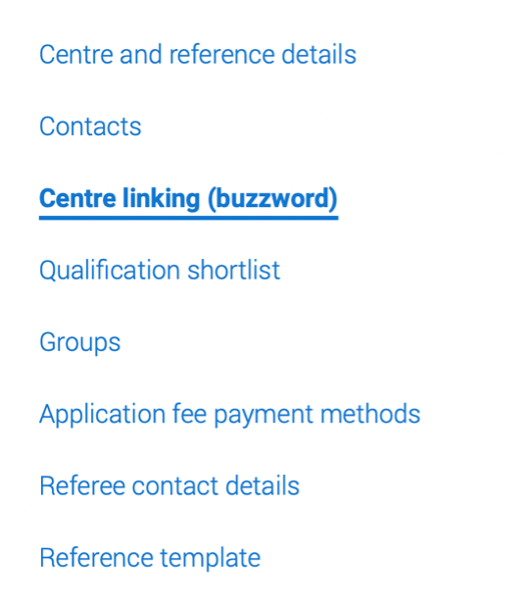
Within Centre management, find the Centre linking (buzzword) section.
Choose a buzzword that's unique to your school or organization and easy for students to enter correctly.
UCAS recommends creating a different buzzword for each application cycle to avoid confusion.
Save your buzzword once you've finished.
Step 4: Share the Buzzword With Your Students
Once your centre is set up, you can give the buzzword to students applying through your school.
They'll enter it when starting their UCAS application to link their application to your centre.
If a student has already started their application, they can still request to link it using your buzzword. You'll need to accept that request through the adviser portal.
We walk students through both situations in our step-by-step guide to adding a UCAS buzzword.
A Few Things to Check Before Students Start Applying
Before you share your buzzword, take a few minutes to review your centre settings.
- Staff access: Make sure the counselors or teachers helping students have the appropriate permissions in the adviser portal.
- References: Confirm who will be responsible for preparing and approving each student's academic reference. Our UCAS Reference Guide for US College Counselors explains what to include and how the reference differs from a typical US recommendation letter.
- Application fees: Decide whether students will pay their own UCAS application fees or whether your centre will handle payment.
- Internal deadlines: Consider setting a school deadline ahead of the official UCAS deadline so there's enough time to review applications and complete references.
These are small steps, but they can save a lot of last-minute back-and-forth once students begin applying.
For more details, UCAS has an official guide to setting up your centre.
What Happens When a Student Uses Your Buzzword?
When students enter your buzzword while starting their application, they're normally linked to your centre automatically.
If they add the buzzword after starting their application, you'll receive a linking request in the adviser portal.
You can review these requests under Centre management or the Waiting to link to centre filter.
Before accepting a request, check whether the student is asking for full application support or a reference-only link. The responsibilities are different.
With a full application link, your centre is responsible for reviewing and approving the application, providing the reference, and submitting the completed application to UCAS.
A reference-only link allows your centre to provide the reference without taking responsibility for submitting the student's application.
If you're working with former students or students applying independently, that distinction is especially helpful.
You can read more in UCAS's guidance on linking applications to your centre.
Helping Your Students Through UCAS
Setting up your centre and buzzword is just the beginning. Once students are connected, you'll also be helping them understand UK course choices, application requirements, references, predicted grades, and deadlines.
And if you're used to supporting students through the Common App, some of these steps may feel quite different.
Our 2027 UCAS Guide for US College Counselors is designed to help you support students through the application process, with practical guidance for the parts that tend to be unfamiliar to US schools.
UCAS Centre and Buzzword FAQs
Do I need to create a new UCAS buzzword every year?
Yes. UCAS requires centres to set up a buzzword for each new application cycle and recommends choosing a different one from previous years.
Can I change my school's buzzword after creating it?
Yes. You can change your buzzword in Centre management during the application cycle. Just make sure your staff and students know about the change.
What if a student doesn't appear in our adviser portal?
First, check that the student entered the correct buzzword for the current application cycle.
If they added it after starting their application, check the Waiting to link to centre filter. Their request may still be waiting for approval.
Can an independent education consultant register as a UCAS centre?
Yes. Independent advisers and agents can apply to become registered UCAS centres. UCAS requires a recommendation from a member university or college, along with other registration information. Check the current registration requirements before applying.